What's New in Midi2Macro 2: Profiles, OBS Integration, and More
When I released version 1 of Midi2Macro, I kept everything deliberately simple. Connect a MIDI controller, map keyboard shortcuts and some basic macros to your MIDI keys and you're done.
That simplicity was the point, but it also didn't offer a lot of features that people kept asking me for.
Midi2Macro 2 adds most of them, while keeping the original ninety-second setup intact.
Here is what changed.
Profiles
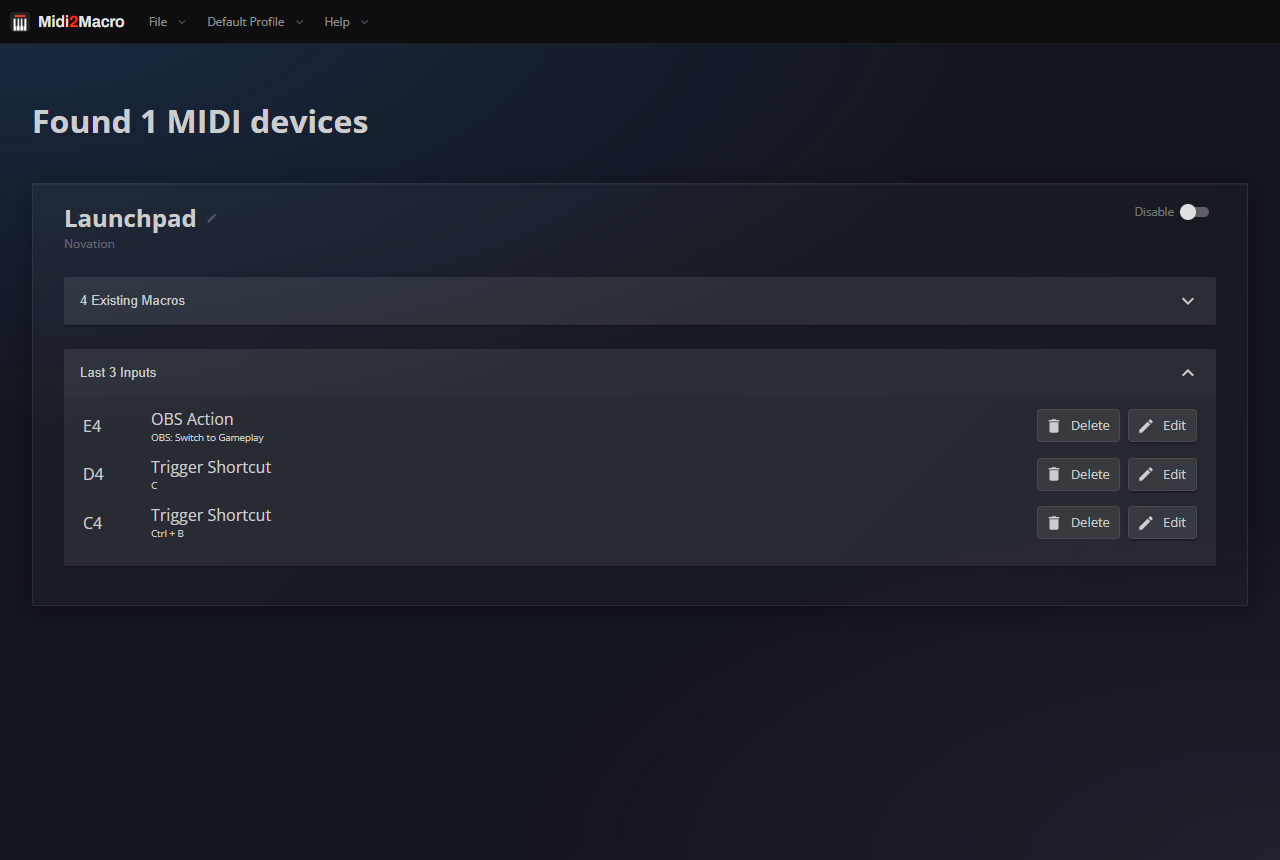
This was the most frequently requested change. In 1.x, a controller had one set of mappings. In Midi2Macro 2 you can create multiple profiles on the same hardware, each with a completely separate layout. You can then switch between them either from the profile menu or with a single pad using the Switch Profile action.
| Profile | Use case example |
|---|---|
| Streaming | OBS scenes, mic mute, recording |
| Editing | Cut, ripple delete, mark in/out |
| Music | DAW shortcuts, sample triggers |
3 profiles and your pad controller now covers three completely separate workflows.
Per-app context switching
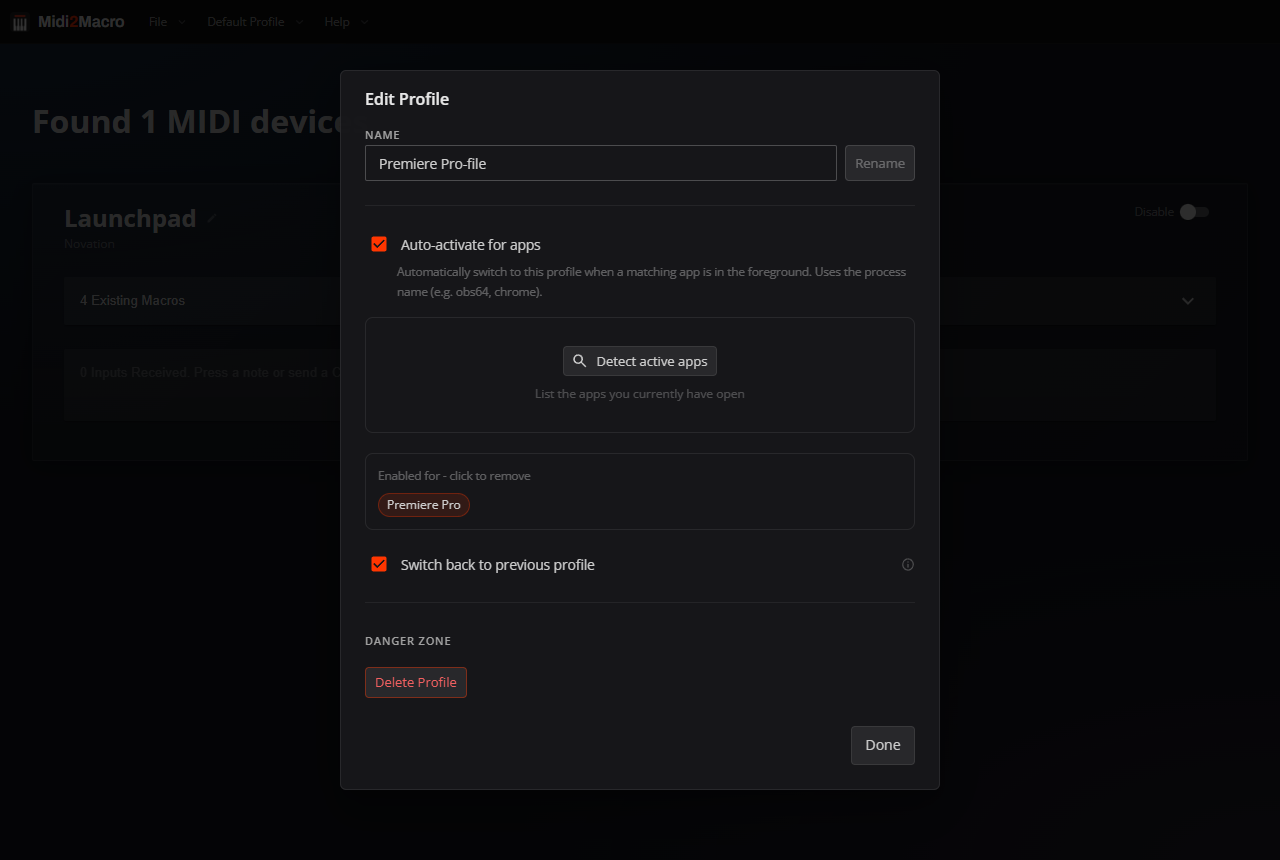
Midi2Macro 2 can track which application is in focus. Alt-tab to a different app and the matching profile loads on its own.
Set up one profile per app: OBS, Premiere, Resolve, your DAW, and the right layout is always active without the need to manually change profiles. Switch focus away and Midi2Macro can return to whichever profile you were on before.
Native OBS integration
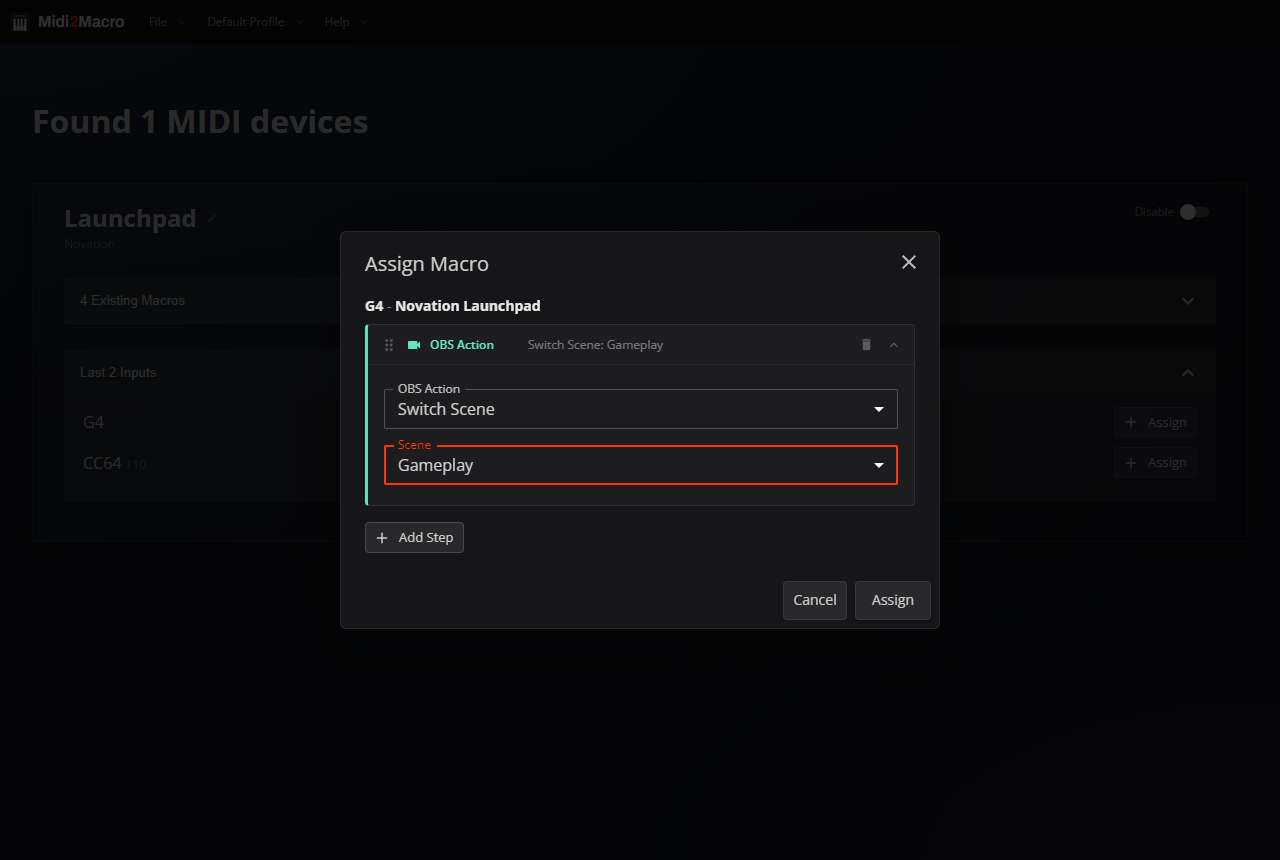
Midi2Macro 2 talks to OBS directly over its native WebSocket server, so a macro can drive OBS without routing through keyboard shortcuts. Switch to a named scene, start or stop recording, toggle the virtual camera, show or hide a source, mute an input, all chosen from a dropdown rather than assigned as an OBS hotkey first.
A fader or rotary knob can ride an OBS input's volume in real time through the Set Input Volume action, which maps an incoming CC value to the level.
MIDI CC support
Version 1.x only listened for note messages, the kind that pads and keys send.
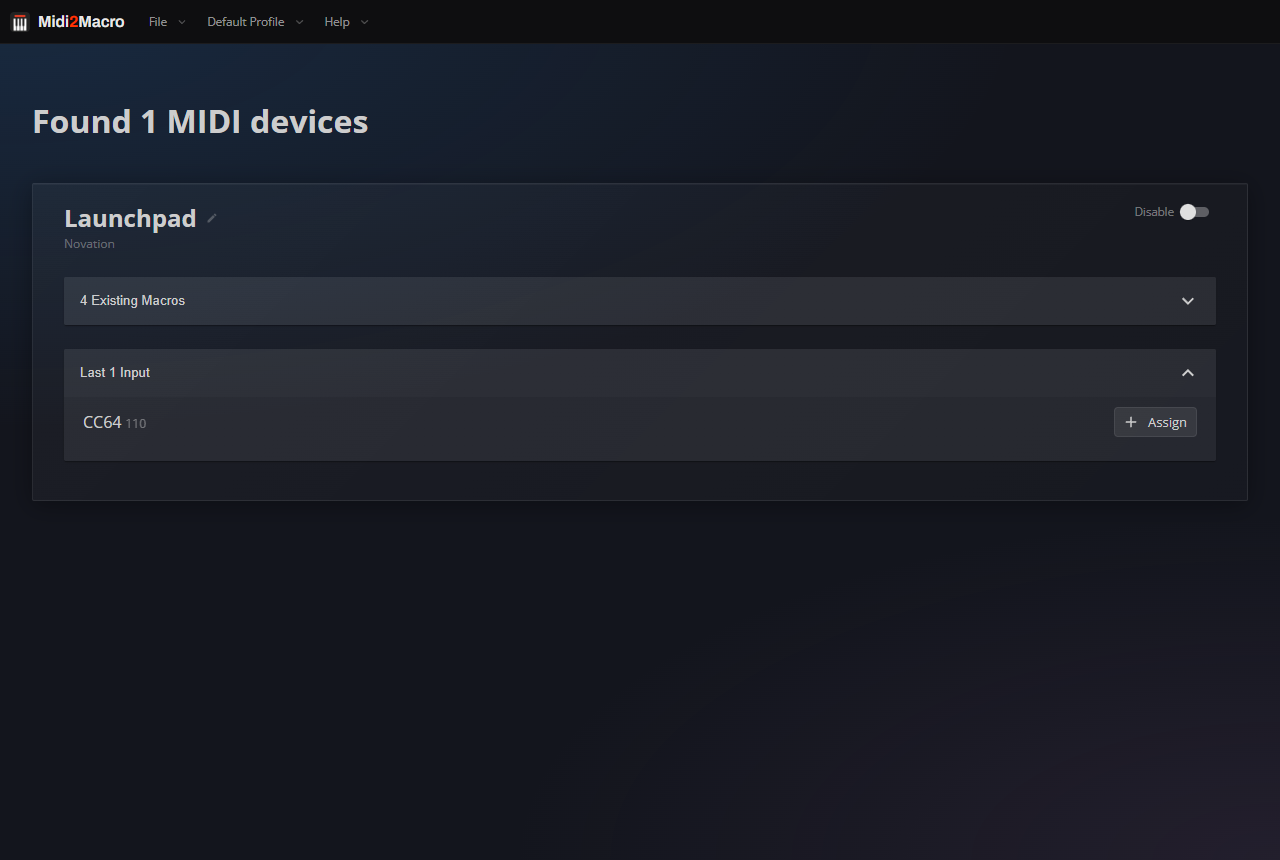
Midi2Macro 2 also listens for Control Change (CC) messages, which is how expression pedals, foot switches, faders, and mod wheels talk. Foot controllers like the Behringer FCB1010 now work as macro triggers.
| Input type | Supported in 1.x | Supported in v2 |
|---|---|---|
| MIDI notes (pads, keys) | Yes | Yes |
| MIDI CC (pedals, faders) | No | Yes |
Sound effect triggering
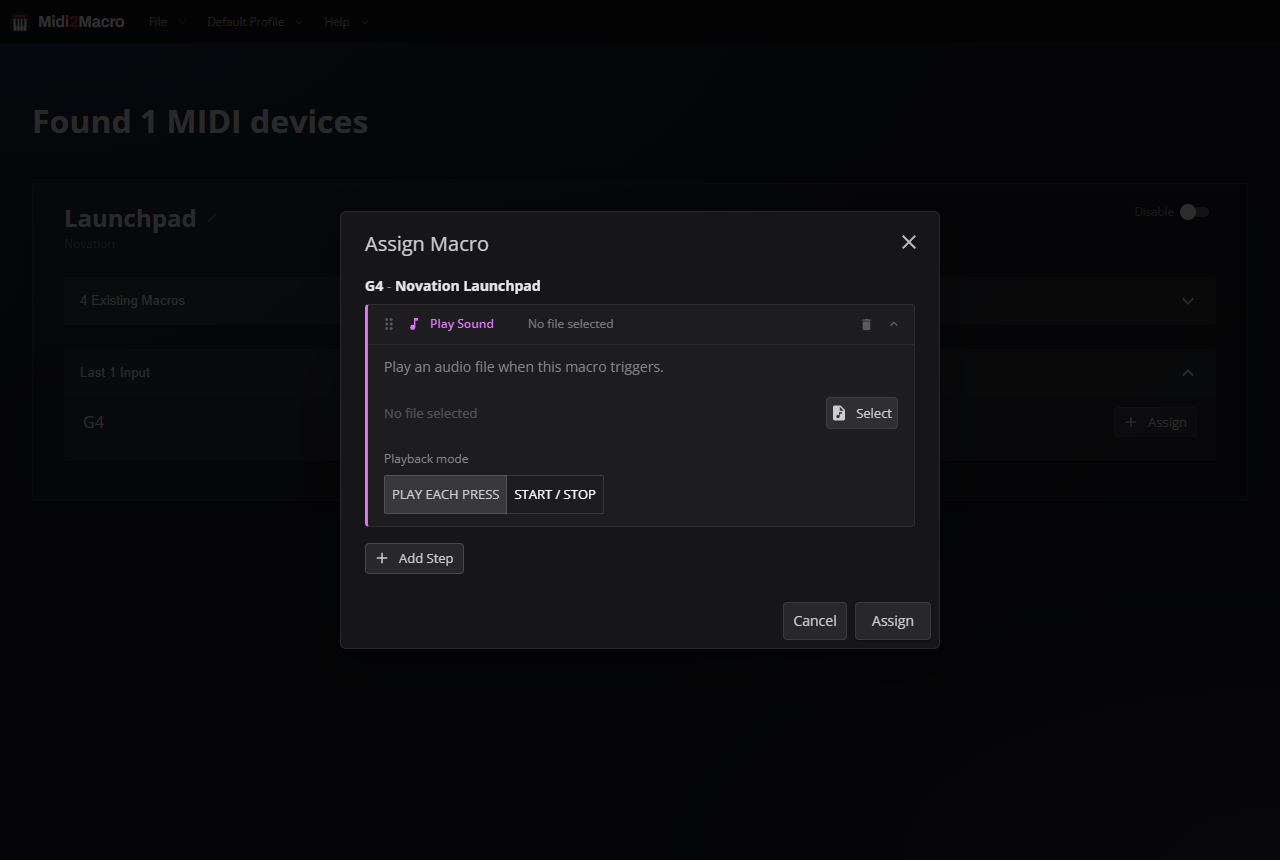
Any pad can now play an audio file. It is handy for streamers with alert sounds, podcasters with stings, or anyone who wants audio feedback when a macro fires.
Point a pad at a .wav or .mp3 and choose whether it replays on every press or toggles on and off.
Launch with parameters
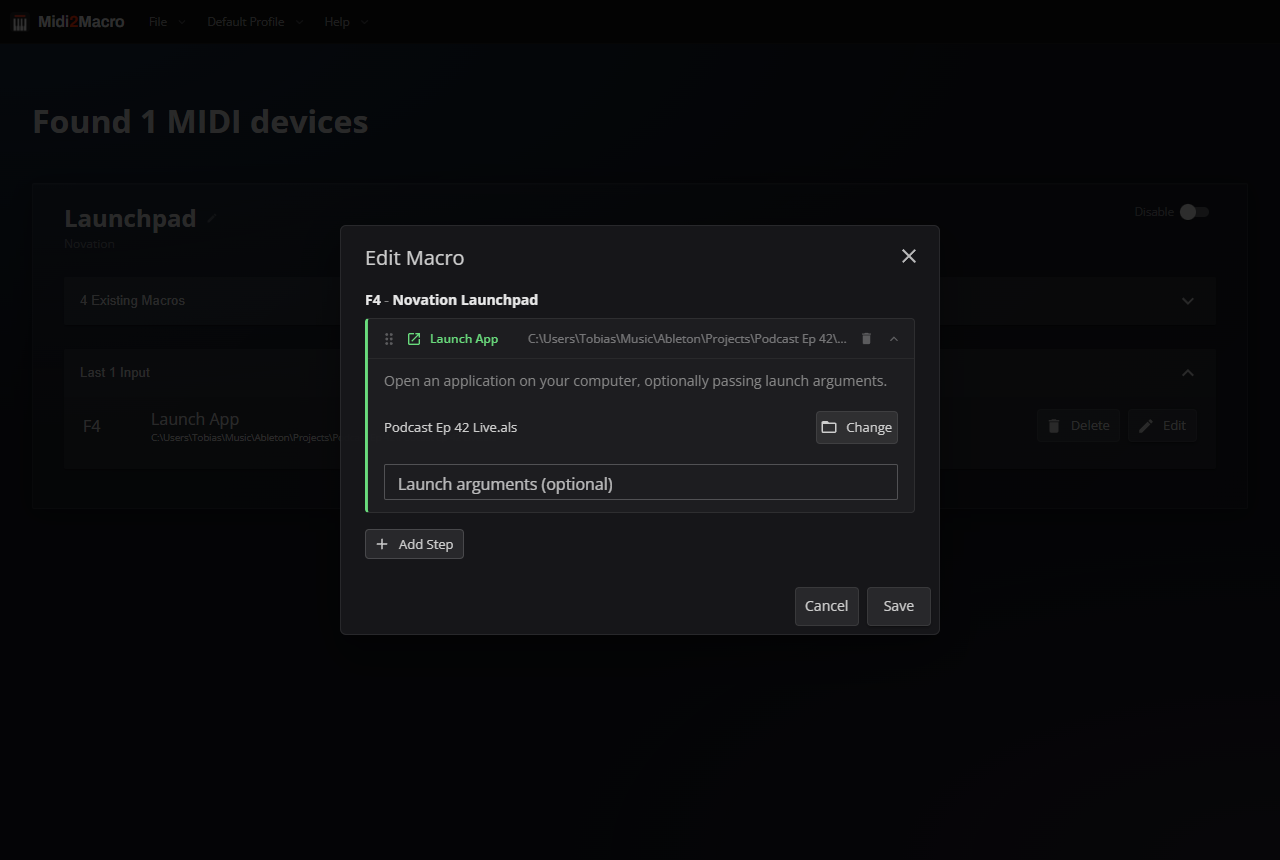
Midi2Macro 2 can launch an application and hand it a specific file or argument. One pad opens Ableton Live with a particular session. Another opens VS Code on a project folder. Another opens your browser straight to a URL.
A row of pads becomes a row of projects, each one a single press away from being open and loaded.
Launch at login and minimise to tray
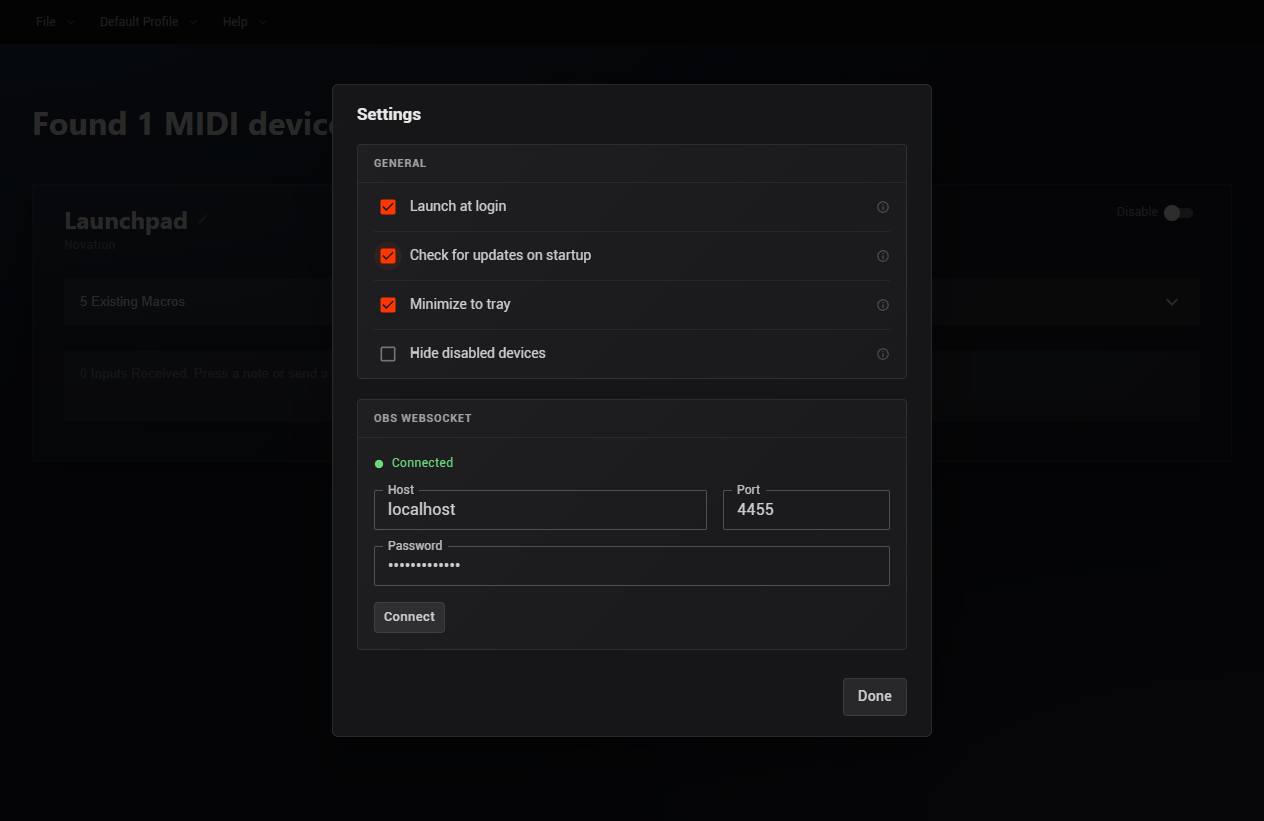
Two of the most requested features are finally here. Launch at login starts Midi2Macro automatically when your computer boots, so your macros are ready by the time you sit down. Minimise to tray keeps it out of the taskbar and living quietly in the system tray until you need it.
While I was in there, I also added Check for updates on startup, so Midi2Macro can tell you when a new version is out instead of you having to check the site yourself.
Import and export macros
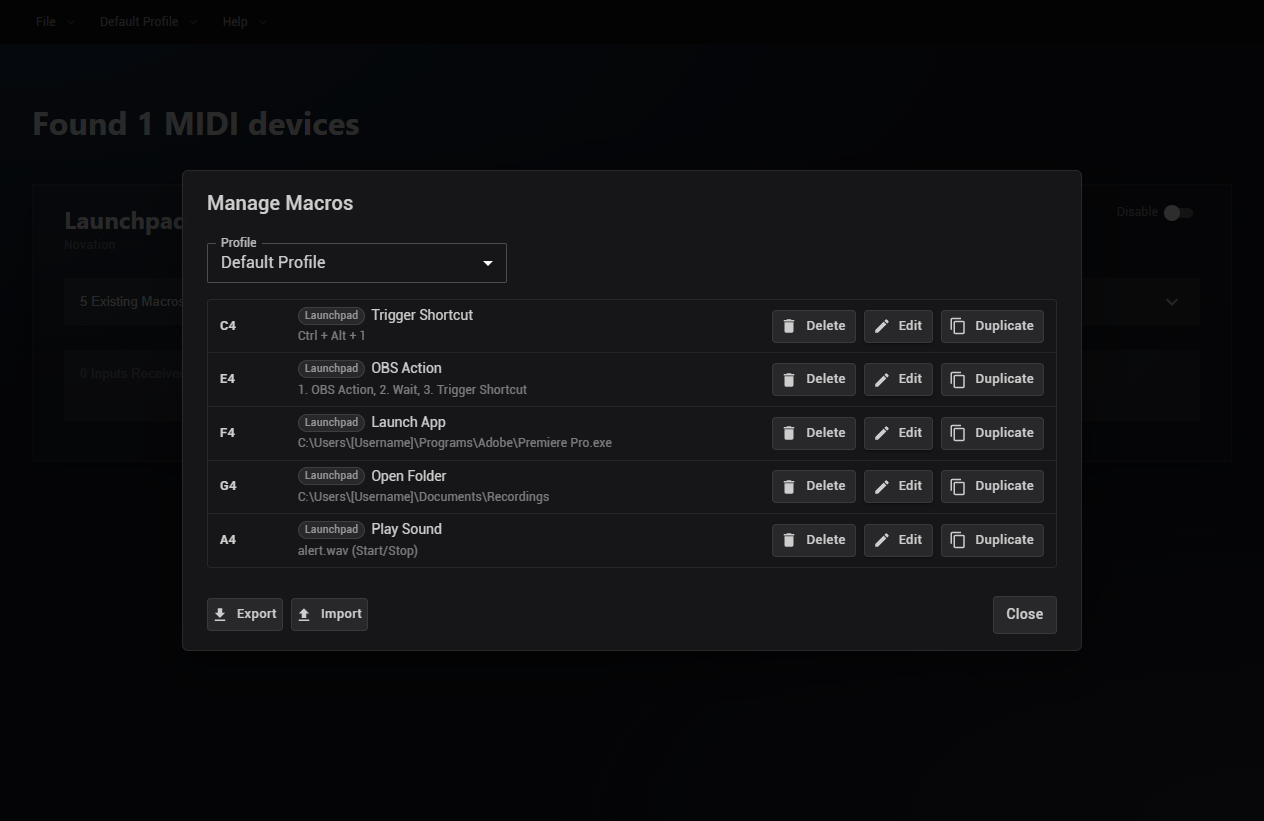
Midi2Macro stores every profile and macro in a single file. The new Manage Macros dialog (File → Manage Macros...) lets you export that file to back up your setup or move it to another machine, then import it back with a choice of Replace All or Merge.
While you're in there, Duplicate copies a macro onto another key, pad, or profile, handy for reusing a macro without building it from scratch.
More new features
A handful of smaller changes round out the release.
Version 1.x listened to every MIDI device connected to your computer. Midi2Macro 2 gives each device a Disable switch, so a controller you don't want triggering macros can be silenced without unplugging it. Turn on Hide disabled devices in Settings and it disappears from the list entirely, keeping the main window clean.
You can also nickname each device. Click the pencil icon next to a device's name and turn "LPX MIDI" into "Launchpad", or whatever makes sense to you.
Pro users can reach premium support directly from inside the app, rather than having to visit the site.
Midi2Macro 1 shipped separate demo and pro installers. Midi2Macro 2 is one installer for everyone: purchase a licence and enter the key to unlock Pro, no reinstall required.
Pricing changes
The old "demo" version is now simply the Free version. Pro is a one-time $20 and unlocks everything above.
Anyone who bought a previous version of Midi2Macro gets Midi2Macro 2 Pro at no charge. We'll email you a Pro licence key: install the new version and enter it to unlock Pro.
| Tier | Price | What you get |
|---|---|---|
| Free | $0 | 5 macros, basic features |
| Pro | $20 one-time | Unlimited macros, all the new features |
| Existing 1.x users | Free upgrade | Pro tier at no cost |
Getting Midi2Macro 2
Download Midi2Macro for free here. If you've previously purchased version 1.x you will receive a license key for version 2 in your email.