MIDI in. Actions out.
Turn any MIDI controller into a custom macro pad - trigger keyboard shortcuts, launch apps, control OBS, and automate your workflow. No programming required.


Loved by 1k+ customers
The biggest Midi2Macro update yet
Profiles with per-app switching, CC signal support, sound effects and more. Everything you asked for - without losing the one-minute setup you love.
Profiles
Build multiple macro layouts on one controller and switch profiles with a single pad. One device, every workflow.
Per-App Profiles
Midi2Macro detects your active app and loads the right profile automatically - OBS, Premiere, your DAW, all hands-free.
Macro Sequences
Create complex sequences of actions, trigger them with a single key press on your keyboard or MIDI controller.
Faders, Knobs & Pedals
Full MIDI CC support unlocks expression pedals, foot switches, faders and mod wheels as macro triggers and OBS volume control.
Sound Effects & Audio
Assign any pad to play a sound effect or music clip - perfect for streamers, podcasters and live shows.
Launch With Parameters
Open an app with a specific file or project in one press. A row of pads becomes a row of ready-to-go projects.
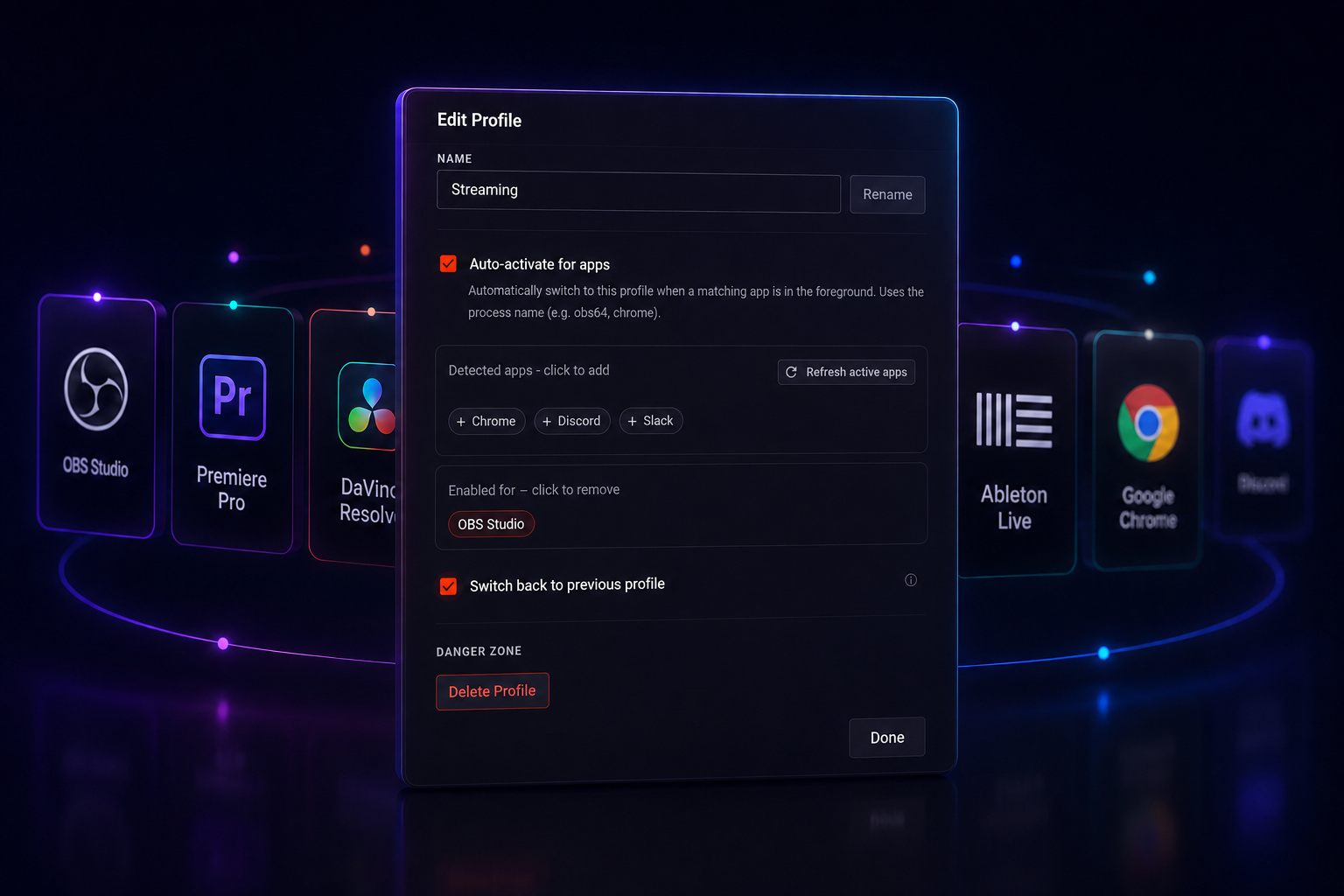
Profiles that switch themselves
Tell a profile which apps it belongs to and Midi2Macro auto-activates it the moment that app gains focus, then switches back when you leave. Set it once for OBS, Premiere, your DAW or anything else you run.
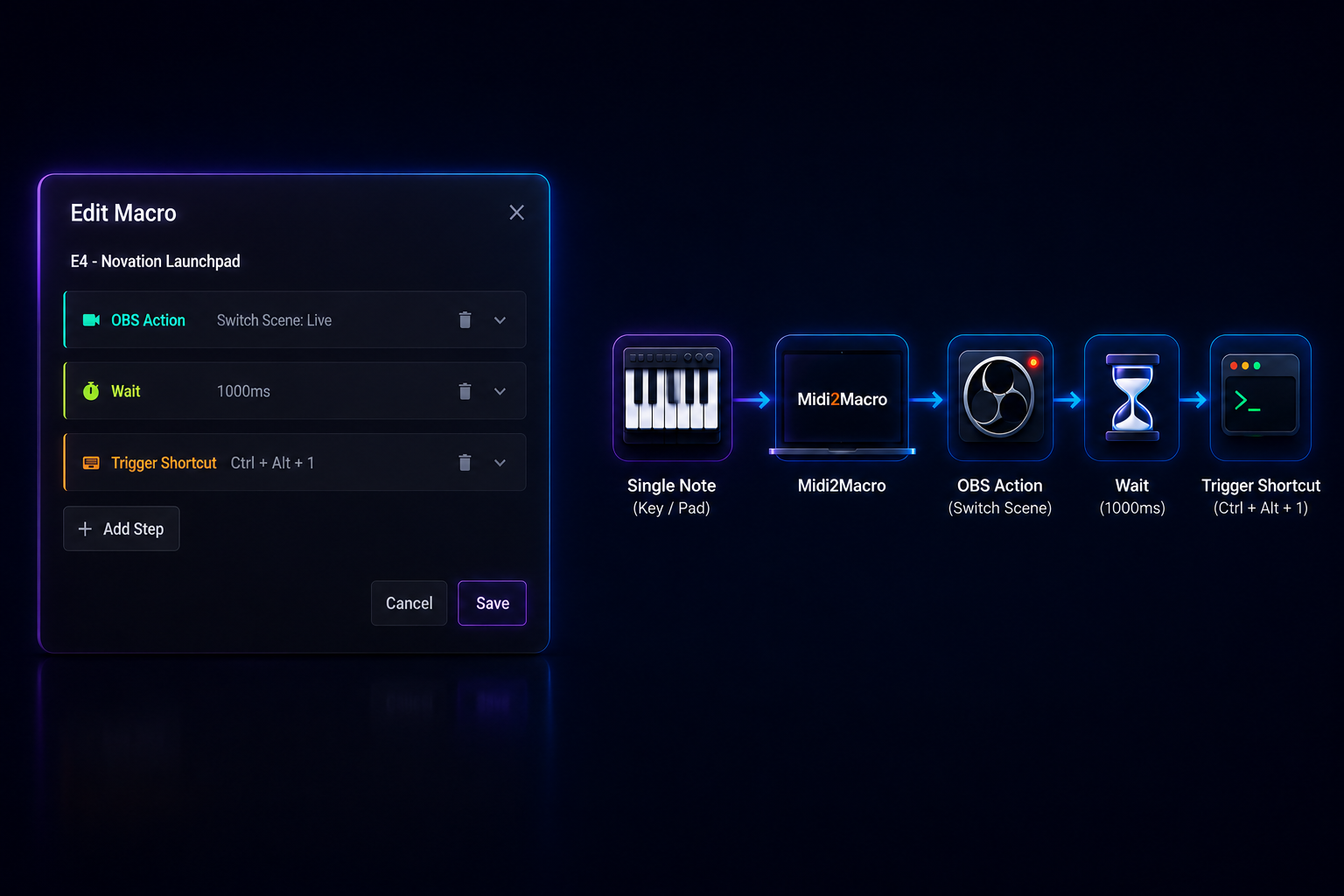
One key press, a whole sequence
Chain as many actions as you like into a single macro - switch an OBS scene, wait for the transition, then fire a keyboard shortcut - all triggered by one note or CC signal on your MIDI controller.
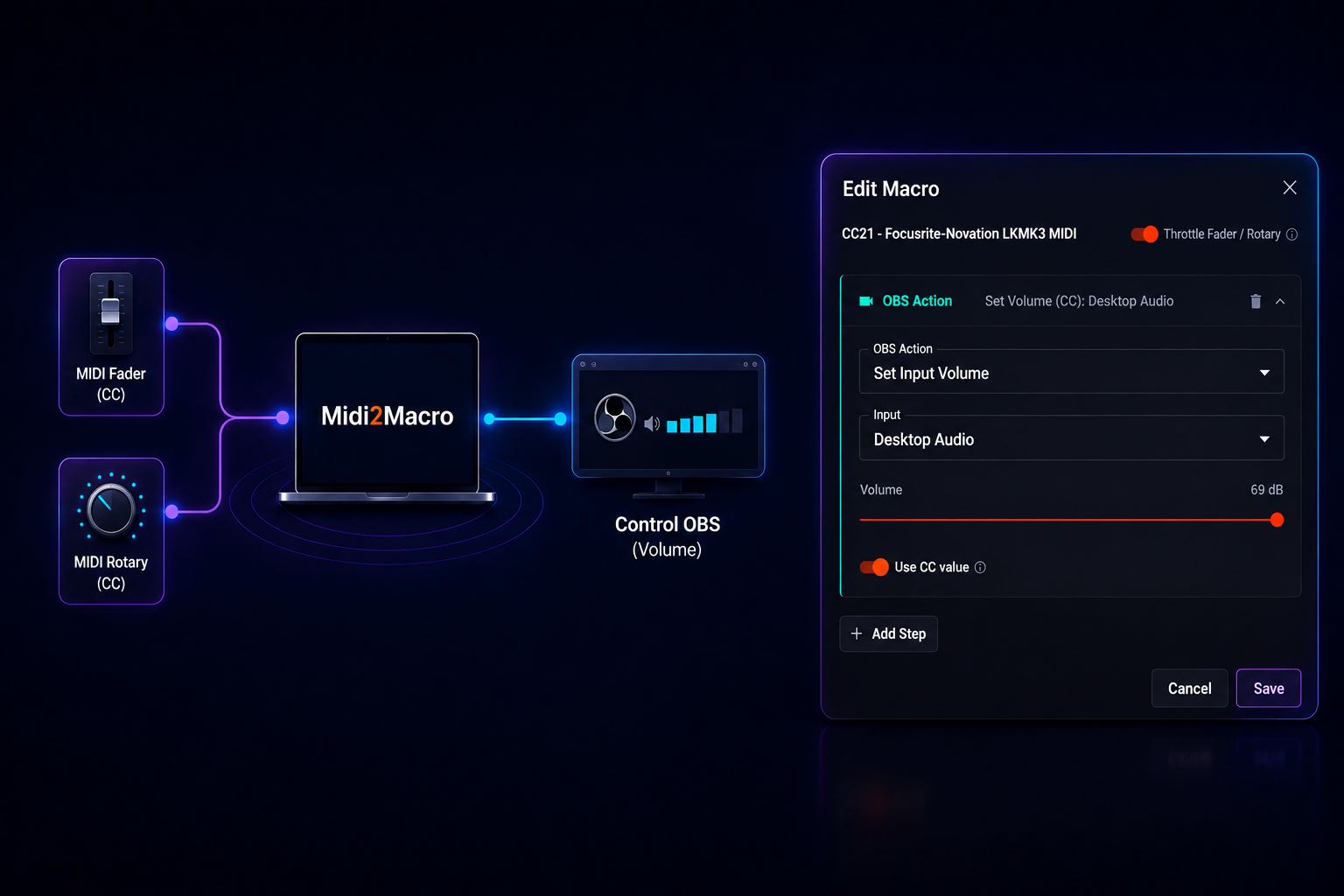
Mix your OBS audio with a real fader
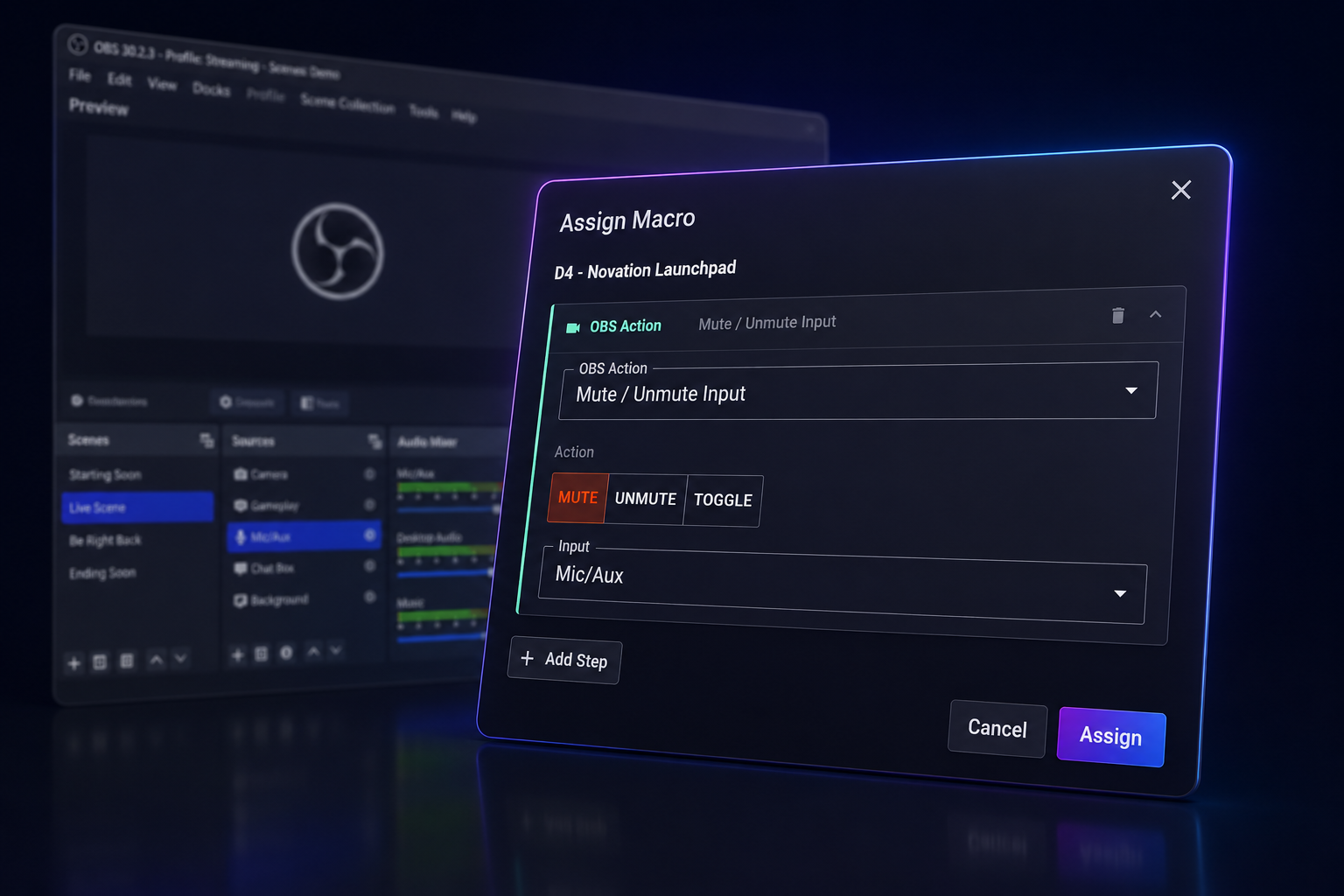
Full MIDI CC support turns any fader or rotary knob into live volume control. Map it to an OBS audio input and ride your mic or desktop levels in real time - no mouse, no menu-diving.
MIDI controller to macro pad in under a minute
No drivers to install. No scripts to write. Connect your MIDI controller, assign an action, and you're done.
Connect Your Controller
Plug in any MIDI controller - keyboard, pad, knob bank, or expression pedal. Midi2Macro detects it automatically, no drivers needed.
Press a Key, Pick an Action
Hit any pad or key. A simple menu lets you assign a keyboard shortcut, app launch, OBS scene switch, or more. Takes about ten seconds.
You're Done
Every time you hit that pad, your action fires instantly. Set it once, use it forever. Works alongside your DAW and other software without conflicts.
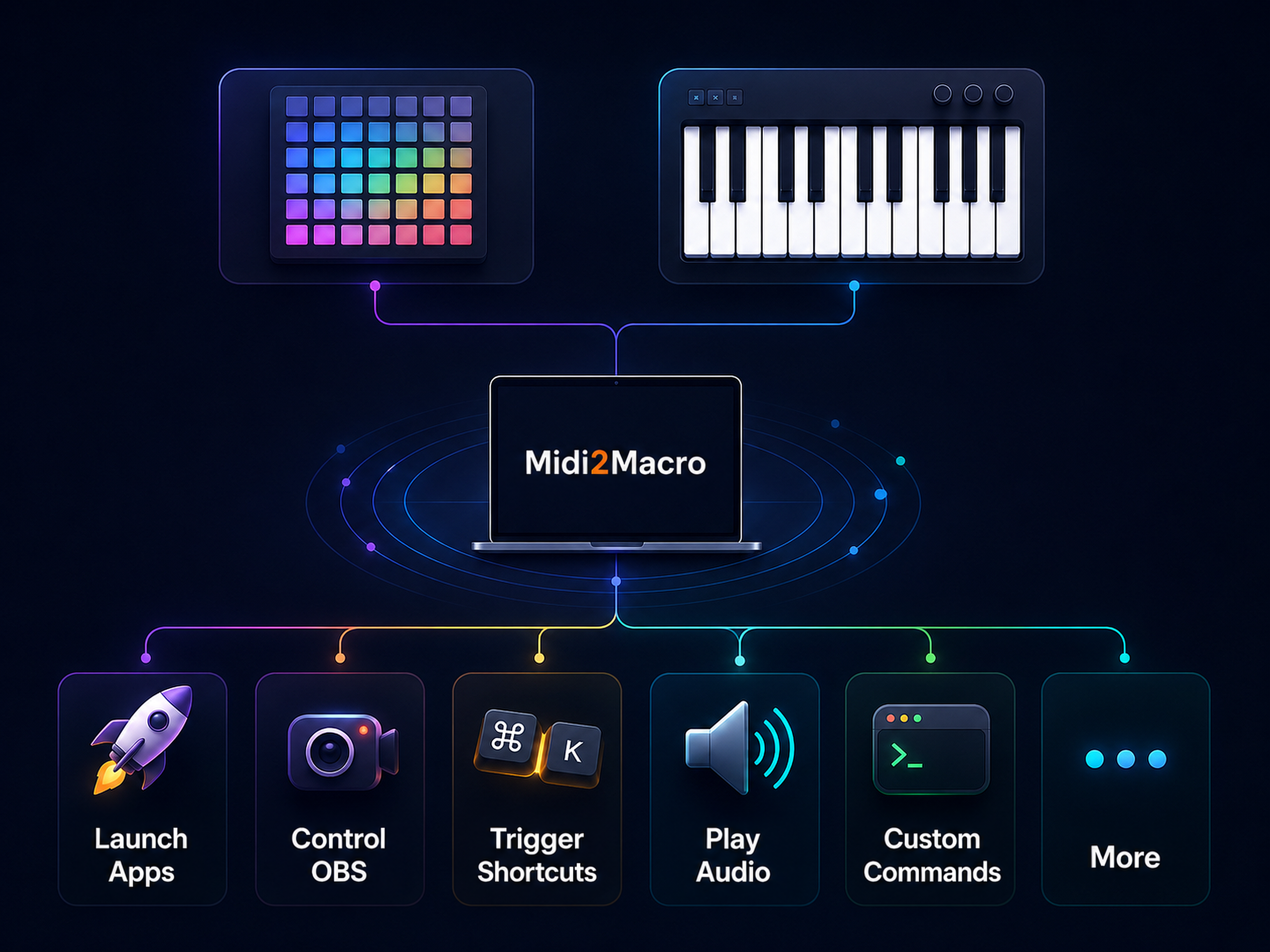
MIDI macro software for OBS, DAWs and everyday workflows
Whether you're switching OBS scenes mid-stream, firing keyboard shortcuts in Premiere, or just saving yourself from repetitive clicks - Midi2Macro maps your existing MIDI gear to exactly what you need.
Quick to Set Up
No drivers, no scripts. Connect any MIDI controller, press a key, pick what happens. You're running in under a minute.
Use Gear You Already Own
Repurpose idle MIDI keyboards, pad controllers and knob banks as shortcut pads - no new hardware needed.
OBS, DAWs and Any App
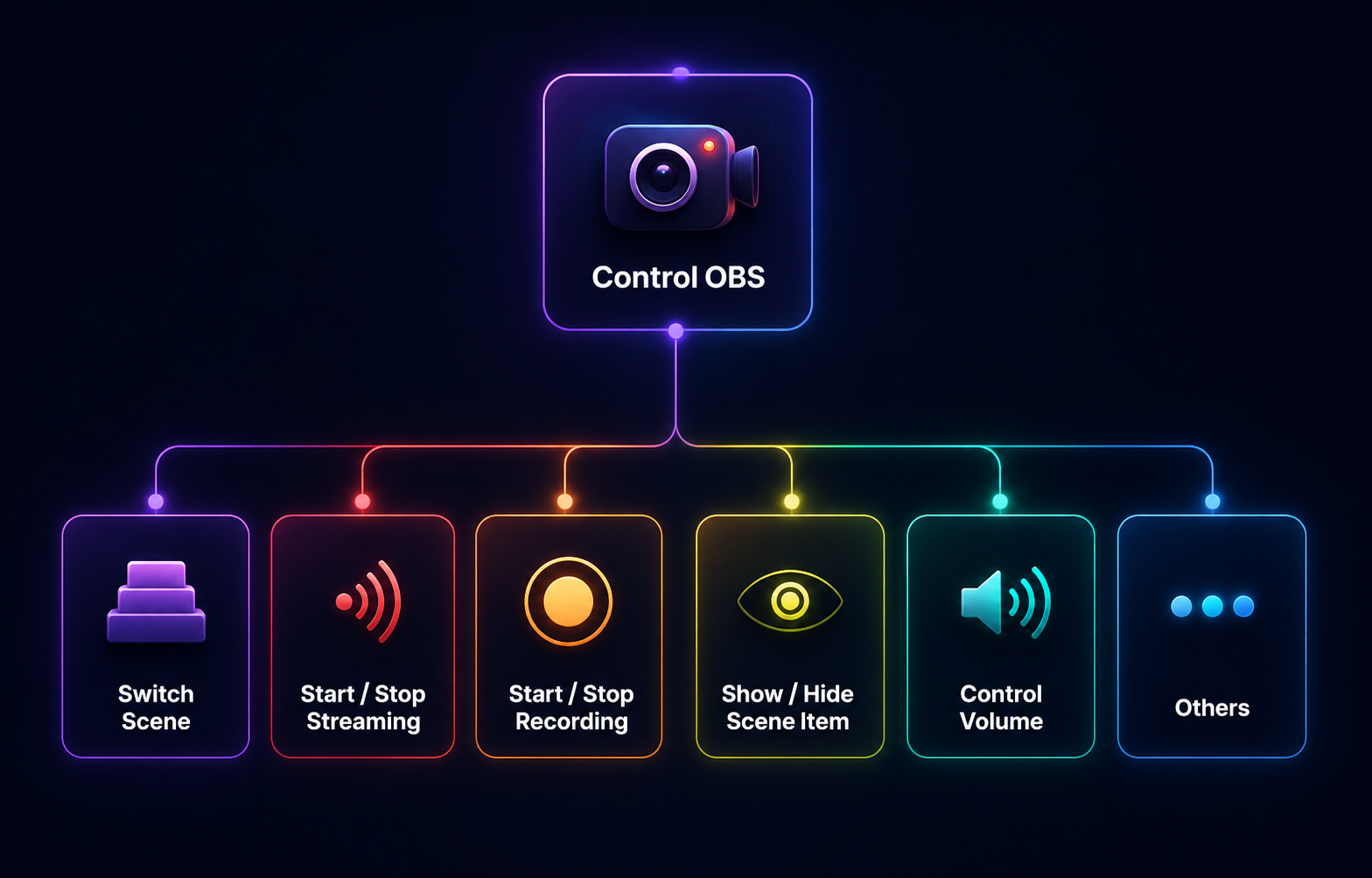
Direct OBS WebSocket integration for scene switching and recording control. Works with any other app via keyboard shortcut mapping - Premiere, Ableton, Photoshop, anything.
Stream Deck Alternative
A one-time payment, no subscription. Use a MIDI controller you already own instead of buying dedicated hardware - same result, fraction of the cost.
Used by streamers, musicians and creators
Over 1,000 people use Midi2Macro to turn MIDI controllers into custom macro pads. Here's what a few of them said.

Jimmy A
Twitch Streamer"Midi2Macro is awesome! I'm using it for shortcuts in OBS as well as for triggering macros in spreadsheets. It's made my life so much easier! Worth every penny!"
Alex B
Musician"The program is very useful, and I think you could charge a little more for this"

Sirvach A
Content Creator"This is going to be the first software I’m going to spend my adult money on rather than freeware"
Free to try. Pay once. Own it forever.
Start with up to 5 macros for free. When you're ready to unlock everything, it's a single one-time payment. No subscription, no renewal.
Free
$0
Try Midi2Macro to see if it's right for you
Map MIDI Note & CC Signals
Custom Macro Actions
Macro Sequence Support
Multiple Profiles
Per-Application Profiles
OBS Integration
Import & Export
5 macros max
Pro
$20
Unlock the full power of Midi2Macro
Map MIDI Note & CC Signals
Custom Macro Actions
Macro Sequence Support
Multiple Profiles
Per-Application Profiles
OBS Integration
Import & Export
Unlimited macros
Priority support
Get Midi2Macro free
Free to download on Windows and Mac, with up to 5 macros and no time limit. Pick your platform and you'll be up and running in a minute.
macOS
Universal DMG - works on both Apple Silicon and Intel Macs.
The installer is digitally signed and notarized under Catz Creatives, our registered company name, so that is the developer name macOS will show.Windows
Installer package for Windows 10 and 11.
The installer is digitally signed under Catz Creatives, our registered company name, so that is the publisher Windows will show.New releases can still show a SmartScreen warning for a while. Here's why it's safe.
Frequently asked questions
Yes. Midi2Macro is available for both Windows and MacOS 😊
License activation requires an internet connection once. After that, Midi2Macro can work entirely offline.
Update checks on startup are optional and can be disabled. Submitting premium support requests from within the app also requires an internet connection.
Midi2Macro is digitally signed, so Windows can confirm the installer really came from us and has not been tampered with. Brand new releases can still show a SmartScreen warning for a while, because Microsoft builds up trust for a file based on how many people have downloaded it. That fades as more people install each release.
If you see it, click More info and then Run anyway. Midi2Macro does not try to steal any of your data and does not contain malicious code - we just want to make your life easier 😊
If you purchased the Pro version, you can access our priority support form from within the app.
Otherwise, please contact us via our Contact Us page for any questions, issues or feedback you have. We read every message and will do our best to help you out 😊